Your AI workflow has too many tabs
FLORA puts image, video, audio and 3D models on one node canvas, and saves the workflows that work.
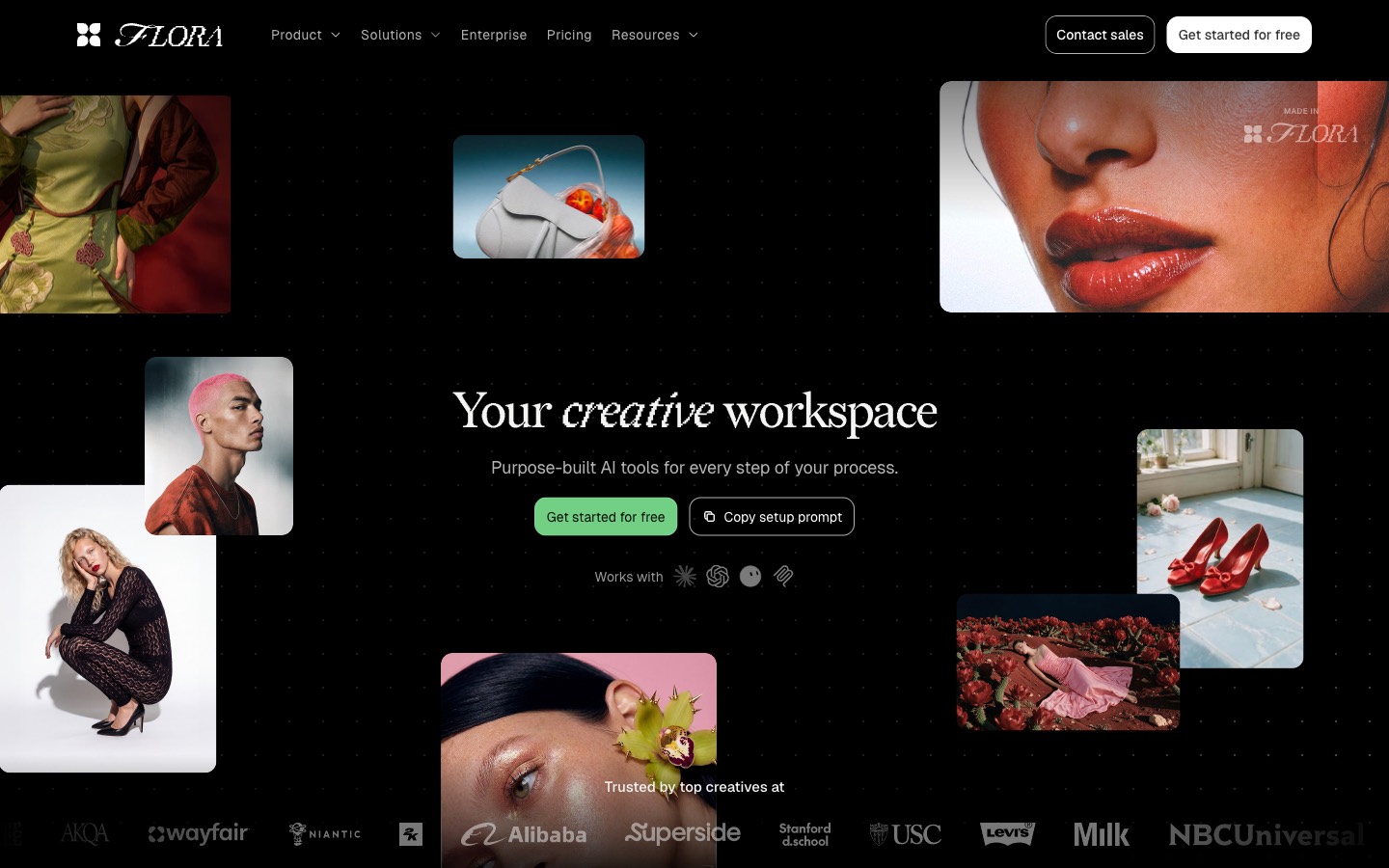
FLORA is a browser-based AI canvas where more than 50 text, image, video, audio and 3D models sit side by side as nodes you connect into workflows. Working chains can be saved as Techniques and rerun as one node or a simple app. There's a free plan; paid plans are priced per seat.
Most AI image work happens in a row of browser tabs. One model for the first pass, another for the edit, a third for video, and a folder of downloads in between that nobody can find a week later. It works until someone asks how you made the thing, or asks for twenty more of it.
FLORA puts all of that on one infinite canvas. Text, image, video, audio and 3D models sit side by side as nodes, and you connect them so the output of one feeds the next. Once a chain works, you can save it and run it again with new inputs. More than 50 models are on it, including Nano Banana Pro, Veo 3.1, Kling, Seedance, FLUX and Recraft.
Every model, one login
This is the simplest reason to try it. The models worth using right now come from different companies, each with its own site, plan and credits. FLORA puts them in one place: GPT-5.5, Claude and Gemini for text, Nano Banana, Seedream, FLUX and Recraft for images, Veo, Kling and Seedance for video. One subscription covers all of them, and FLORA says new models arrive the day they're released.
You can also test them against each other properly. Run the same prompt and reference through two image models on side-by-side nodes and pick the one that suits the job, rather than guessing from someone's comparison thread.
How it works
Everything is a node. A Text node writes or describes, an Image node generates or edits, and a Video node animates a still or a prompt. There are Audio and 3D nodes too, plus nodes that do ordinary, non-AI jobs: Action nodes for edits like color grading, a Layer Editor for composing several images into one, a Batch node for running the same step over a set of items, and an Export node that saves to your downloads or Google Drive.
The point of wiring them up is control. Instead of rewriting one long prompt until it behaves, you split the job into steps you can see and change. Swap the model on one node and run just that step again. Teammates can work on the same canvas at once, with comments and live cursors.
FLORA frames the work in three stages, and the canvas is laid out for all of them. Ideate: put text, image and video models next to each other and explore lots of directions at once. Iterate: narrow down with the team in the same canvas, in real time, instead of passing files back and forth. Scale: once a direction is set, turn that one concept into the hundreds of finished assets a campaign actually needs.
There's also FAUNA, an assistant built into the canvas. Describe what you want and it adds the nodes, picks models and connects them for you. In its default Assist mode it shows what it plans to run, and what that will cost, before anything generates.
Techniques: the bit worth knowing
A Technique is a whole workflow packed into a single node. FLORA and outside creators publish them, and you run one by giving it its inputs. Character Lock turns one character into six angles. Font Builder starts a typeface from a single letterform. Mood Board Maker builds a board from one photo, Logo to Brand Identity reads a logo and proposes a visual direction, and Base Design's Brand Extension Generator turns brand details into identity boards. There are plainer ones too, like Background Remover, Image Upscaler and Palette Pull.
The more useful move is building your own. Get a workflow right on the canvas, click Build Technique, choose which nodes are the inputs and which are the outputs, and publish it to your workspace. It then drops onto any canvas as one node, or runs as a simple app for people who never want to see the wiring.
Fashion Studio
For apparel teams there's a separate Fashion Studio, included in every plan, that sits on top of the canvas. It's a set of 14 connected tools that run from a sketch to a campaign: Sketch to Render, Garment Recolor and Fabric Swap, Flatlay and Ghostform, then Model Maker, Model Try-On, Multi-Angle Shoot and 360 Model Video. Finished assets can go straight to Shopify, and anything can be opened on the full canvas when a piece needs more work.
How to get more out of it
Start from a Technique, then open it up. Run one that's close to your job, then open it on the canvas to see how it's built. It's the quickest way to learn which models FLORA's own team chains together, and why.
Make Elements for anything that has to stay the same. An Element is a reusable reference built from up to eight images of one subject, filed as a Model, Character, Product, Material, Style and so on. Use it instead of raw reference images when a product or a face has to look the same across a whole campaign. It improves consistency, though FLORA is upfront that it can't guarantee it.
Turn the thing you'd do twice into a Technique. If a client is going to ask for the same treatment on forty products, build it once on the canvas, publish it, and run the rest as a batch.
Keep FAUNA in Assist mode at first. Seeing the plan and the cost before it runs is how you learn what each model is worth to you.
Pricing
Pricing is per seat and comes with a pool of usage that's metered at each model's published rate, so you can see what every generation cost by project and by person. That's handy for billing clients.
The free plan gives you one seat, three projects, text and image models, the full canvas and Techniques, with roughly 17 free image generations to try it. At the time of writing, paid plans were listed at $18, $50 and $200 a seat a month (Starter, Pro and Max), each with extra usage included, plus Enterprise for teams of nine or more. Those prices were marked as a launch offer, so check the pricing page.
Heads up
The free tier is for trying it out. Video models, API access and unlimited projects start at Starter. Because usage is metered, heavy video work adds up quickly, so watch the cost per run before setting a batch loose. And node canvases take an hour or two to feel natural if you've only used prompt boxes. If you just want one good image now, a single model's own app is still faster.
Who it's for
Studios, brand teams and agencies doing AI work at volume: campaign previz, product shots, mood boards, storyboards, identity explorations. Teams from Pentagram to Lionsgate are listed as users. It suits anyone who wants their process to be repeatable and shareable rather than lost in a chat history.
Open a free account, run Mood Board Maker or Character Lock on something of your own, then open the Technique up and look at how it's wired. That's where it clicks.
Written by Steve Salgado
About FLORA
- Models
- 50+ text, image, video, audio and 3D, incl. Nano Banana Pro, Veo 3.1, Kling, FLUX
- Fashion Studio
- 14 apparel tools, sketch to campaign, in every plan
- Price
- Free plan; Starter, Pro and Max per seat a month; Enterprise for 9+
- Reusable workflows
- Techniques, from FLORA, creators and your own
- Assistant
- FAUNA, builds workflows from a description
- Runs in
- The browser
- In the index
- No. 108 FLORA →
You might also like
Arqe, the motion tool you'll use every week
[ Read ↗ ]