A Figma alternative you can read every line of
OpenPencil is a free, open-source design editor that opens Figma files, works offline and talks to coding agents.
OpenPencil is a free, open-source design editor that opens Figma .fig files and supports copy and paste with Figma. It runs in the browser or as a small desktop app with no account, and includes AI chat, an MCP server for coding agents, a CLI and a Vue SDK. It is MIT licensed.
Most design teams live in Figma, and most of the time that's fine. But every so often you need to open a .fig file without an account, work on a plane, hand a file to someone outside the team, or get a coding agent to read a design properly. That's when it helps to have something you actually own.
OpenPencil is a free, open-source design editor that opens Figma files natively. It runs in the browser or as a small desktop app, needs no account or internet connection, and is MIT licensed, so you can read and change all of it: the editor, the rendering engine, the file format code and the command line tools.
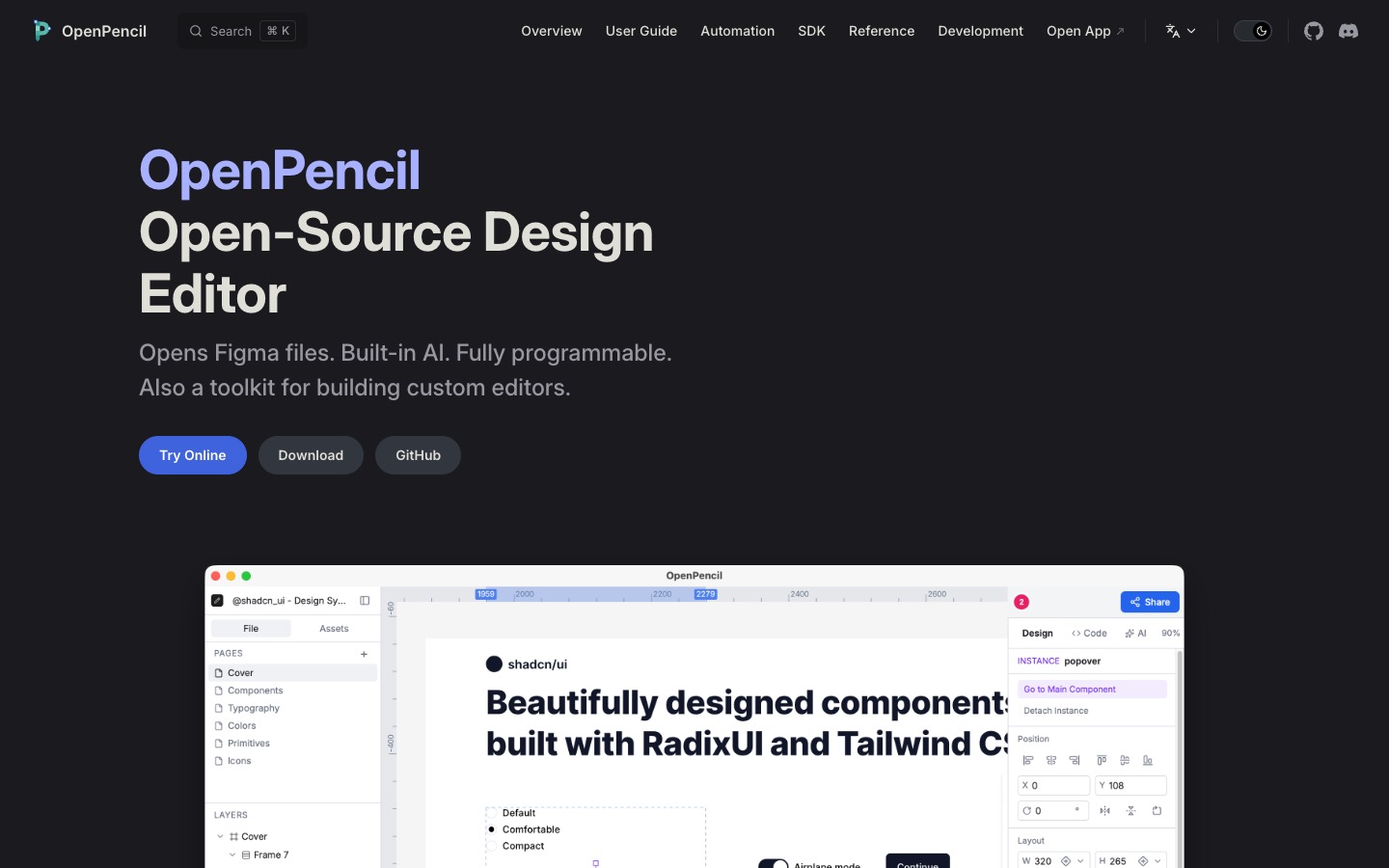
It speaks Figma
OpenPencil opens .fig files directly, and you can copy and paste between Figma and OpenPencil. The project says its file codec keeps round-trip fidelity, so what you open is what you save. Inside, it looks and works the way you'd expect: pages and layers on the left, a canvas in the middle, and design, layout and auto layout controls on the right.
Free and local
There's no sign-up and no server. You can use the web app at app.openpencil.dev, or download the desktop app for macOS, Windows or Linux. On a Mac it's one line with Homebrew ("brew install --cask openpencil"), and the app is around 7 MB.
Collaboration works without a server too. It connects people directly over WebRTC, so you share a link and edit together with live cursors and a follow mode.
Built for AI and automation
This is where it gets interesting for anyone working with code. OpenPencil has a built-in AI chat with 90 tools that can create shapes, set styles, manage layout and analyze design tokens. It also ships an MCP server, so Claude Code, Cursor and Windsurf can work with your designs directly.
For automation there's a headless command line tool to inspect, export and analyze .fig files, with JSON output for build pipelines, Tailwind CSS export, and support for running Figma Plugin API code. And if you'd rather build your own editor, the Vue SDK lets you embed OpenPencil in another product or make a custom editor around the same core.
Heads up
It's young. The project went up on GitHub in February 2026, and the latest release at the time of writing is version 0.15.1, so expect rough edges and missing features compared with Figma. For a team's day-to-day design work, Figma is still the safer choice for now.
The command line tool installs separately from the desktop app, with "npm install -g @open-pencil/cli".
Who it's for
Designers who want a free, offline way to open and edit Figma files. Design engineers who want their coding agents to read real design files. Teams building their own design tools, who'd rather start from an open editor than from scratch. With nearly 9,000 stars on GitHub in its first seven months, plenty of people are already watching. Try the online demo before you download anything.
Written by Steve Salgado
About OpenPencil
- Price
- Free
- License
- MIT
- Platforms
- Web, macOS, Windows, Linux
- Opens
- Figma .fig files
- Version
- 0.15.1 (September 2026)