Momentum makes your static work move without learning animation
A small, preset-driven motion tool from Uninspired Studio for designers who just need their visuals to move.
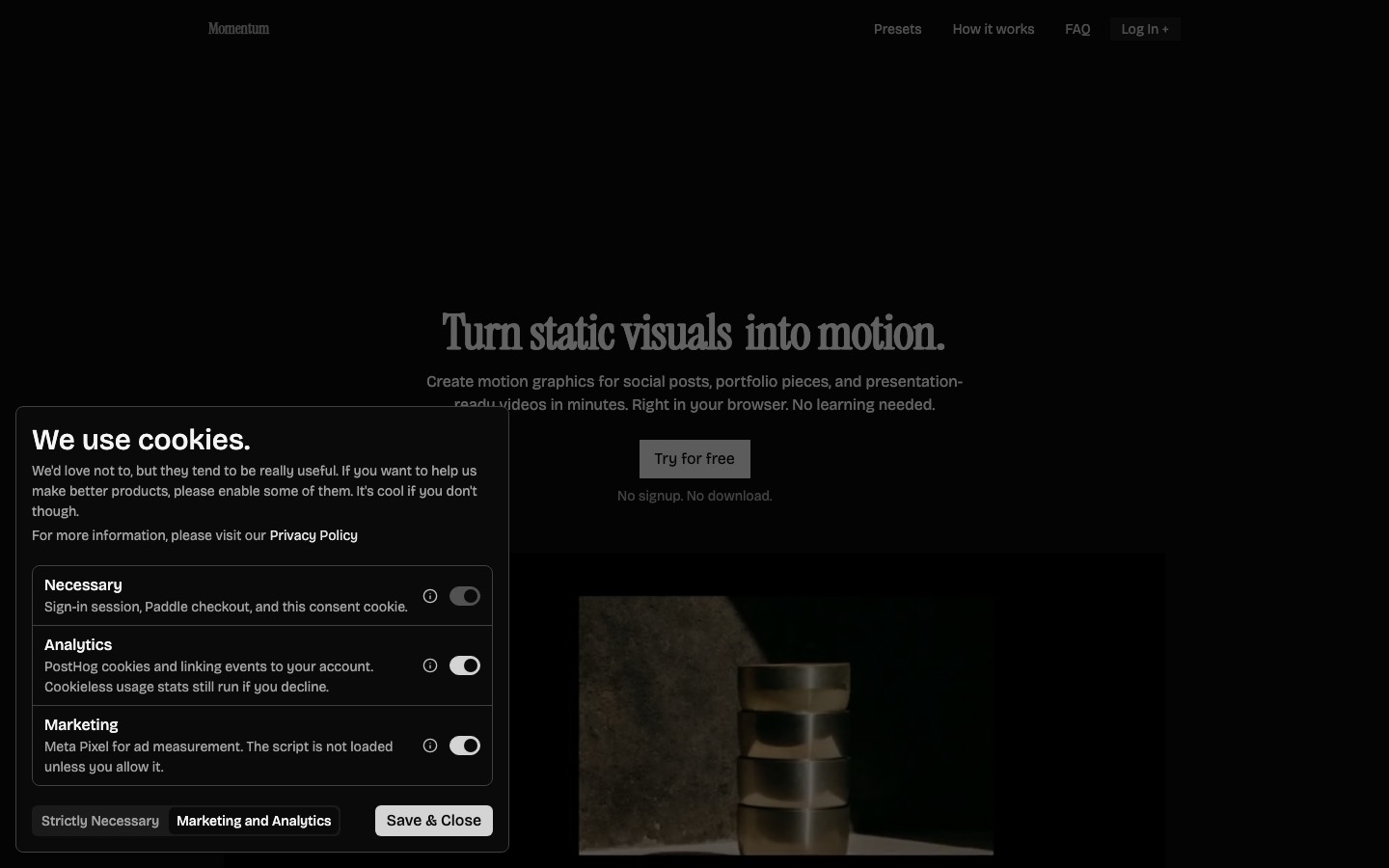
Momentum is a browser tool from Uninspired Studio that turns static images into motion graphics using presets. You pick a Carousel, Mask or Instant preset, add your visuals, adjust direction, timing, transition and hold, then export MP4 or WebM in 9:16, 1:1 or 16:9. Some presets are free; premium ones cost €7 to €9, paid once.
There's a specific kind of frustration that comes from finishing a set of visuals you're really happy with, then realizing they need to move. Instagram wants a reel. The case study would look better with something animated at the top. The client asked, casually, if the deck could "have a bit of motion in it."
You don't need a motion designer for this. You probably don't even need a proper animation tool. You need something that takes what you've already made and gives it some life, and then gets out of the way.
That's Momentum.
It's a small browser tool from Uninspired Studio, a product design studio run by Chris and Fabi. Their tagline is "motion without the overhead," and for once a tagline is pretty accurate.
How it works
The whole thing runs on presets. You pick one, drop your visuals in, adjust a handful of sliders and export. That's genuinely the full workflow. There's no timeline, no keyframes and no learning curve to speak of. Their FAQ puts it nicely: if you can adjust your phone's brightness, you can use Momentum.
The presets come in three families, and each has at least one free option to try:
- Carousel includes Curved Basic (free), Horizontal Slider and Single Full. Good for running a series of images through the frame.
- Mask includes Mask Reveal (free) and Mask Scale Overlap. Good for brand work and anything that wants a bit of drama on entry.
- Instant has Instant Basic (free), the quickest way to get something moving.
Once you've picked one, the controls cover direction, timing, transition and hold. Hold is the one worth playing with. How long each image sits still before it moves on changes the whole feel, from punchy and fast to slow and considered.
Getting it out
Export comes as MP4 or WebM, in 9:16, 1:1 or 16:9. That covers Stories and Reels, the square feed post, and anything widescreen like a deck, a website header or a case study. One set of visuals, three formats, no rebuilding.
The pricing
This is the refreshing part. There's no subscription. Some presets are free, and the premium ones are a one-off purchase of somewhere between €7 and €9 each. Pay once, keep it forever.
In a world where every tool wants $15 a month for the privilege of existing on your credit card, that's a nice change. You buy the handful of presets that suit your work and that's the end of the transaction.
Heads up
It does exactly what it says, and not a lot more. You're working within the presets, so if you have a specific motion idea in your head, you probably won't be able to build it here. That's the trade-off for it being this simple.
It's also focused on images moving through a frame. If you need to animate type in detail, build UI transitions or make anything with real character to it, you'll want something like Jitter or After Effects.
Who it's for
Designers who need social content from finished work and don't want to spend an afternoon on it. Anyone putting together a portfolio who wants their case studies to open with something moving. Small studios who need a reel of recent work every now and then. Anyone who's ever looked at a folder of JPEGs and thought, these should really move.
Start with a free preset, drop in three or four images you're proud of and see how it feels. It takes about as long as reading this did.
Written by Steve Salgado
About Momentum
- Made by
- Uninspired Studio
- Platform
- Web browser
- Price
- Free presets, premium €7–9 one-off
- Exports
- MP4, WebM
- Formats
- 9:16, 1:1, 16:9
You might also like
Type drawn by people who design identities for a living
[ Read ↗ ]
Typewolf is how you stop using the same three fonts
[ Read ↗ ]