Custom tools for the things you make every week
Brik, from Wix, turns a plain description into a working design tool you can tune, remix and export.
Brik is an AI design platform from Wix that turns a written description into a working, interactive design tool with its own controls. You tune the controls and export images, GIFs, video, HTML or embeds. There's a free plan with 80 credits a month; paid plans start at $15 a month.
Most motion and generative work ends as a file. A logo sting, a set of social frames, a looping hero. Then the brief changes, or someone wants it in vertical, or in the other brand color, and you're back in the timeline redoing it by hand.
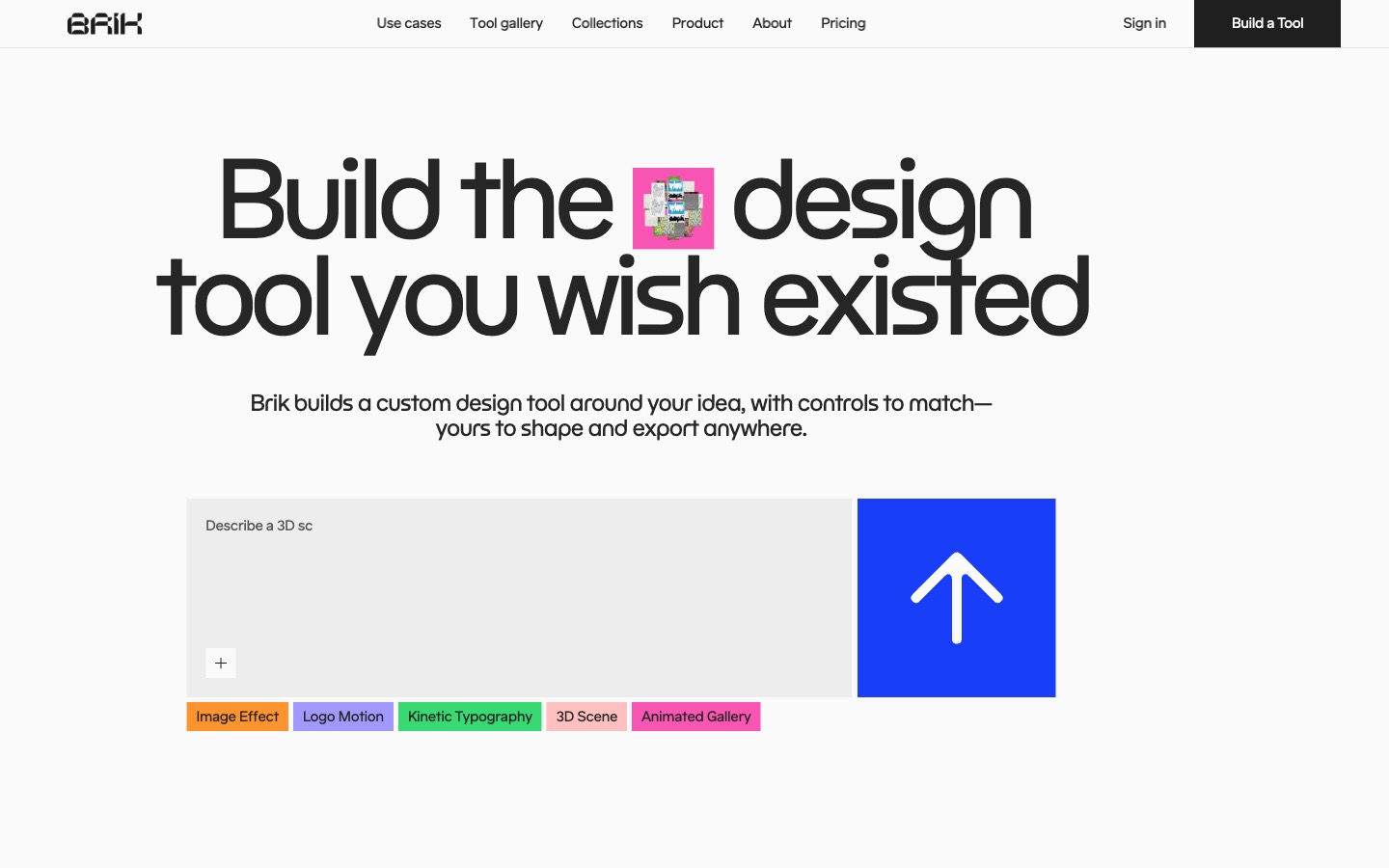
Brik, from Wix, makes the thing that makes the file. You describe a visual in plain words (how it should move, how it should feel, what it shouldn't do) and its agent builds a working design tool in the browser, with sliders, color pickers, text fields and image uploads for everything it decided along the way. Then you play with the controls and export what you need, as many times as you need.
How it works
The editor has a chat on the left, the live tool in the middle and its controls on the right. Write a prompt, attach references if you have them (images, video, a PDF brand guide, even a snippet of code), and send. When a prompt could go a few ways, the agent stops and asks with a short multiple-choice card. Then it builds: an Art Director agent sets the direction and a Coder agent writes the tool, and you watch the steps tick by in the chat.
What comes back is a tool, not a picture. Kinetic type, 3D, particles, shaders, scroll and cursor effects, data charts that draw from a spreadsheet. Anything you didn't specify becomes a control, so you can change it later without prompting again. Ask for a control by name ("add a slider for how many particles", "let me upload a logo") and it gets wired in.
From there it's ordinary design work. Drag the sliders, save combinations as presets, keyframe any control on a timeline, or plug in a MIDI controller and play it live. Every change the agent makes is saved as a version, so you can roll back.
How to use it
1. Describe it. Click Build a Tool and write what you see in your head. Brik's own advice is to cover three things: the behavior (what moves or reacts), the mood ("calm, structured, editorial" or "loud, glitchy, neon") and the constraints ("no 3D", "must work in vertical and square"). Short prompts are fine. Pick the canvas size first, 16:9, 9:16, 4:3, 3:4 or custom, because it sets the base resolution for exports.
2. Tune it. Work the controls until it looks right, and save the good ones as presets. Moving sliders costs nothing. Only messages to the agent use credits, so change what you can by hand and save prompts for real changes to how the tool behaves.
3. Export it. Images come out as PNG, JPEG or AVIF at up to 5x, with transparent backgrounds for PNG and AVIF. GIF and video (MP4 or WebM, up to 60fps and 30 seconds) render live from the canvas, so keep the tab open while they run. On paid plans you can also export a standalone HTML file with your settings baked in, or an embed that runs the tool live on another site.
The gallery
Everything people publish lands in a public gallery: liquid glass logos, ASCII cameras, flip-flap boards, kinetic type, generative posters. Anyone can open one and play with the controls, no account needed. Sign in and you can export from it as it is, or press Remix to copy it into your workspace, with the code, controls and presets intact. Remixing is free; you only spend credits on the changes you ask for after that, and the original keeps a credit link back to its maker.
It's the best way in. Find something close to what you want, remix it, then ask the agent for the difference.
For events there's Projection Studio, a full-screen stage where you place several tools, images and videos, mask them to fit a wall or LED screen, hide the controls and run the show.
Pricing
Free gets you 80 credits a month, capped at 20 a day, and image, GIF and video exports with a small Made with BRIK watermark. Standard is $15 a month for 240 credits, no watermark, video rendering, HTML code export and embeds. Pro is $50 a month for 1,000 credits, and there's a custom plan for teams. Yearly billing saves 20%. Credits don't roll over.
There's no fixed price per prompt. A brand-new tool costs more than a tweak, and a tweak that touches everything ("redo the whole animation style") can cost as much as a new tool.
Heads up
Twenty credits a day goes quickly on new builds, so on the free plan start from a remix rather than a blank prompt. Desktop is where it's meant to be used. There's a phone editor, but the timeline, MIDI and Projection Studio are desktop only. Results vary like any AI tool, and Brik says so itself, so check the code export before you hand it to a developer. And for a single, specific shot that will never change, Brik's own docs say a regular image model or a timeline tool is still faster.
Who it's for
Designers who keep remaking the same kind of asset: social templates, logo animations, hero sections, event visuals, brand systems you want to hand to a client as something they can actually use. It also suits anyone who has looked at creative coding and wanted the results without learning to write shaders.
Open the gallery, remix the one that catches your eye, and ask it for one change. Then think about what you make every week, and describe that.
Written by Steve Salgado
About Brik
- Made by
- Wix
- Makes
- Interactive design tools: motion, kinetic type, 3D, generative visuals, data viz
- Exports
- PNG, JPEG, AVIF, GIF, MP4, WebM; HTML and embed on paid plans
- Price
- Free (80 credits a month); Standard $15, Pro $50 a month; custom for teams
- Runs in
- The browser, best on desktop
- In the index
- No. 107 Brik →
You might also like
Your AI workflow has too many tabs
[ Read ↗ ]Arqe, the motion tool you'll use every week
[ Read ↗ ]